PS4 DualShock 4 Controller Test
Older pads are exactly where drift tends to appear. Connect a DualShock 4 over USB or Bluetooth and check every input it still reports correctly.
Controller status
No Controller Detected
Connect your controller using USB or Bluetooth and press any button.
If you have multiple controllers connected, you can select and test each one separately.
- Browsers only reveal a pad after it sends its first input — press a face button or move a stick.
- Both USB and Bluetooth work. If nothing appears at all, reconnect the controller and press a button with this page focused.
- Some remapping tools claim the pad before the browser sees it. If nothing shows up, try closing them and reloading.
- Chrome or Edge expose the most controller features, including vibration.
PS4 Controller Test Reference
This is a documented test reference, not a live screenshot of a controller currently connected to this page.
These four screenshots preserve browser-visible reports from one tested DualShock 4. They show two browser-identification formats and do not, by themselves, prove a connection method, compatibility software, polling rate, latency, or universal compatibility.
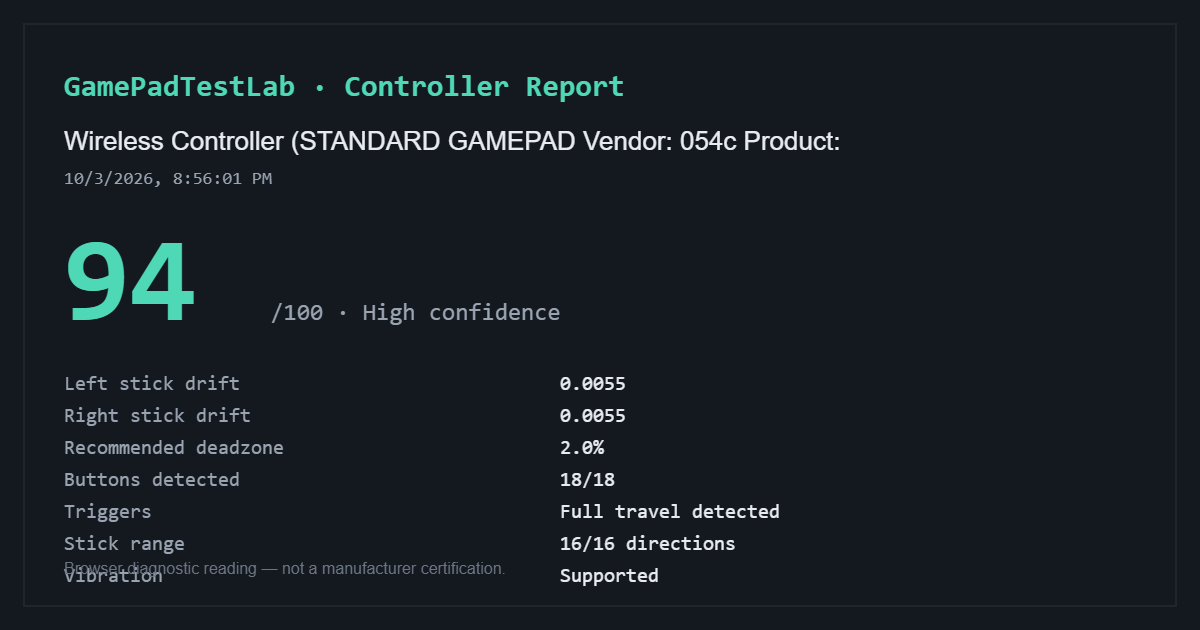
Standard Gamepad report — 94/100
Captured: 10/3/2026, 8:56:01 PM (as shown in the report)
Browser identification: Wireless Controller (STANDARD GAMEPAD Vendor: 054c Product:)
The captured report shows 0.0055 drift on each stick, a 2.0% recommended deadzone, 18/18 buttons detected, full trigger travel, 16/16 stick directions, and vibration supported.
The connection method, compatibility-software state, browser, and operating system were not recorded in the screenshot.
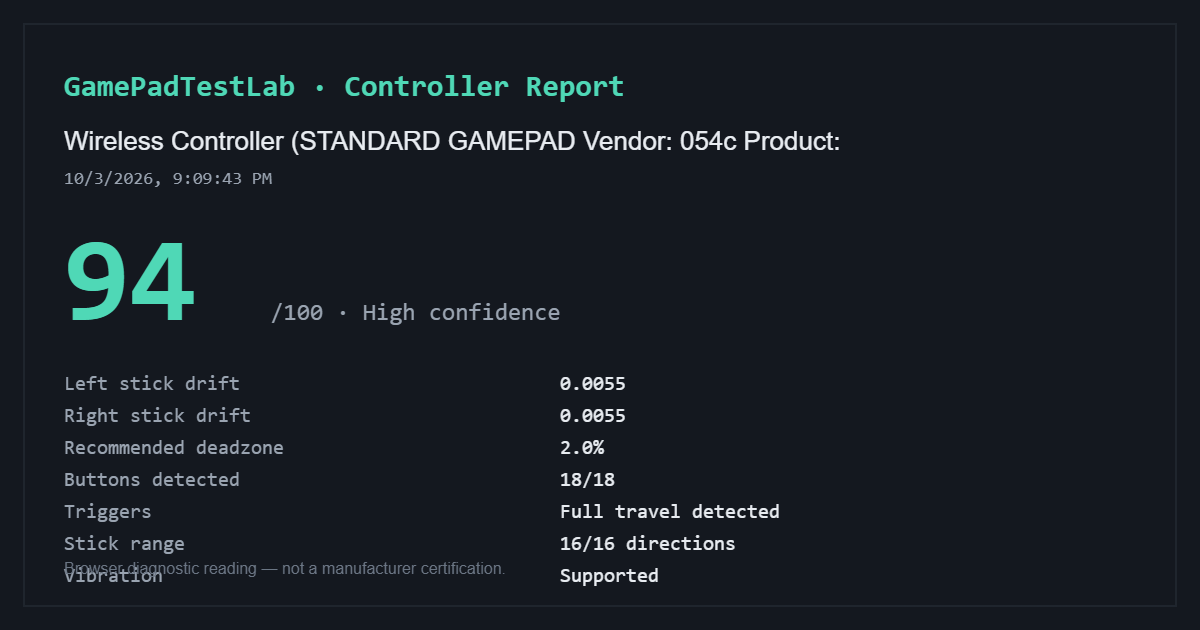
Standard Gamepad report — 94/100
Captured: 10/3/2026, 9:09:43 PM (as shown in the report)
Browser identification: Wireless Controller (STANDARD GAMEPAD Vendor: 054c Product:)
The captured report shows 0.0055 drift on each stick, a 2.0% recommended deadzone, 18/18 buttons detected, full trigger travel, 16/16 stick directions, and vibration supported.
The connection method, compatibility-software state, browser, and operating system were not recorded in the screenshot.
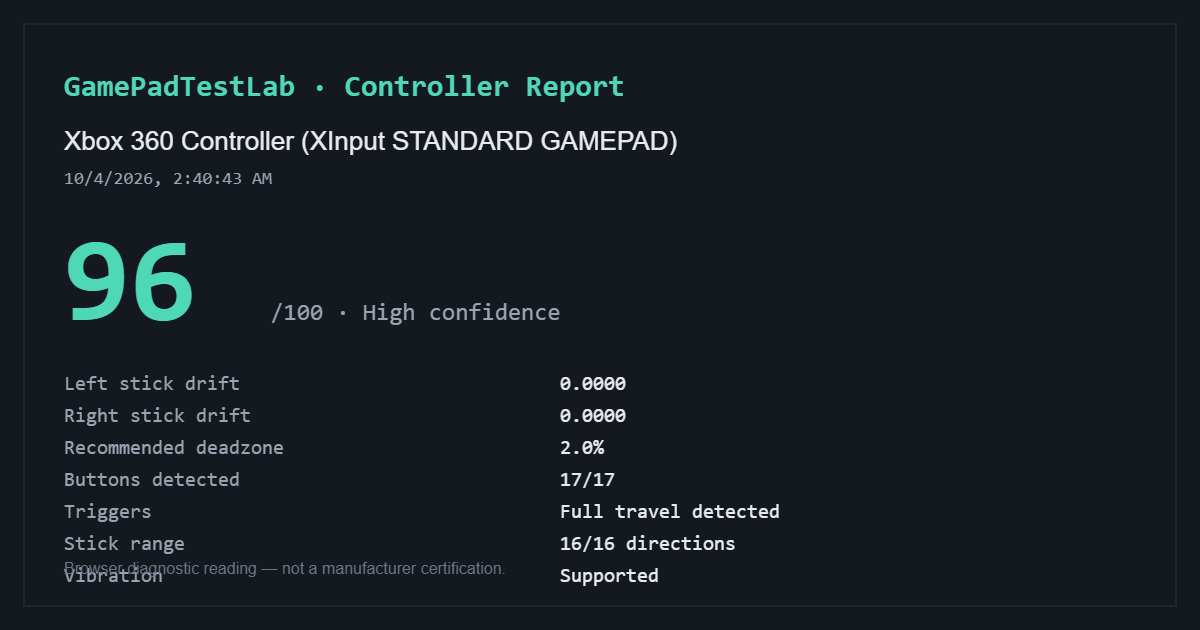
XInput report — 96/100
Captured: 10/4/2026, 2:40:43 AM (as shown in the report)
Browser identification: Xbox 360 Controller (XInput STANDARD GAMEPAD)
The captured report shows 0.0000 drift on both sticks, a 2.0% recommended deadzone, 17/17 buttons detected, full trigger travel, 16/16 stick directions, and vibration supported.
The connection method, compatibility software, browser, and operating system were not recorded. The XInput name documents the browser interface, not which software—if any—created it.
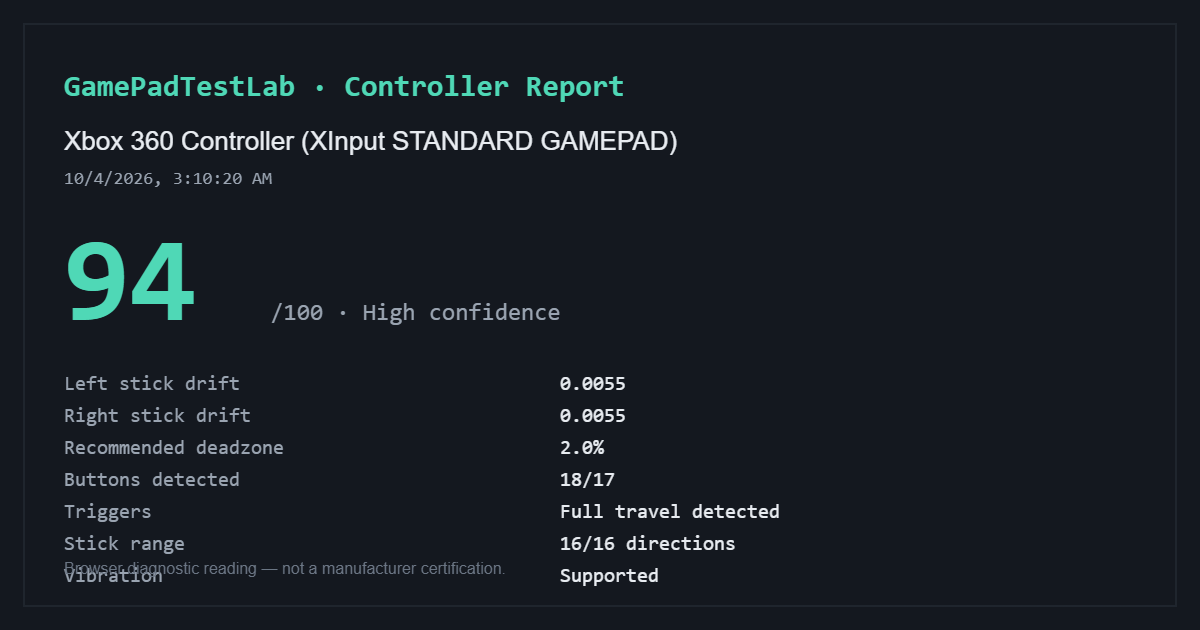
XInput report — 94/100
Captured: 10/4/2026, 3:10:20 AM (as shown in the report)
Browser identification: Xbox 360 Controller (XInput STANDARD GAMEPAD)
The captured report shows 0.0055 drift on each stick, a 2.0% recommended deadzone, 18 buttons detected against 17 expected, full trigger travel, 16/16 stick directions, and vibration supported.
The connection method, compatibility software, browser, and operating system were not recorded. The XInput name documents the browser interface, not which software—if any—created it.
Read USB vs Bluetooth for controller testing before comparing connection methods. See the testing methodology for how browser-visible readings are calculated and where their limits lie.
Live input
Press anything — the diagram reacts instantly
Stick drift test
Timed resting measurement of both analog sticks
Connect a controller and press any button to enable this test.
Button test
Press every button once — each one lights up as the browser sees it
Connect a controller and press any button to begin.
Trigger test
Pull each trigger slowly from rest to fully pressed, several times
Connect a controller to test the triggers.
Troubleshooting
Controller not detected? Work through this checklist
Nine checks covering focus, cables, Bluetooth pairing, background software, DS4Windows virtual controllers and browser support - open it only if your controller is not showing up.
Connecting a DualShock 4
Use a data micro-USB cable and press a button, or pair over Bluetooth by holding Share and the PS button until the light bar flashes rapidly.
For an older or second-hand controller, the resting drift measurement is a useful first check because neutral movement is easy to miss during a quick button test.
What the browser can test on a DualShock 4
The standard Gamepad API can expose both sticks, Cross, Circle, Square, Triangle, L1, R1, analog L2 and R2 values, the D-pad, L3, R3, Share, Options, the PS button and touchpad click, depending on the browser mapping.
The light bar, speaker, touch coordinates and motion sensors are outside this site's standard browser diagnostics. Vibration is shown only when the current browser and connection expose a compatible actuator.
Checking DualShock 4 drift and recentring
Set the controller on a stable surface and run the full nine-second resting measurement without touching either stick. Compare the 95th-percentile offset, centre coordinates and jitter for both sticks, then repeat after rotating and releasing them.
A consistent directional offset is more informative than one peak. If the stick settles in different places after each release, use the circularity and range test as well because a single untouched sample may miss a recentring problem.
Run the deadzone tool after confirming the result. A modest inner deadzone can hide a small stable offset, but it also removes fine movement near the centre and does not repair the mechanism.
Testing L2, R2 and the face buttons
Pull L2 and R2 slowly several times. Compare their resting values, maximum values and total travel; a trigger that repeatedly stops short or does not return near rest deserves another test over a second connection.
Use the guided button sweep for every control. A missed press is not automatically a failed switch: repeat it, reload the page, and compare USB with Bluetooth before drawing a hardware conclusion.
USB, Bluetooth and compatibility layers
Sony documents Bluetooth pairing with Share and PS and supports a compatible micro-USB connection. Browser mappings can still differ between USB, Bluetooth and operating systems, so the raw device name and control count may change.
DS4Windows and similar tools may present the controller as a virtual Xbox/XInput device. GamePadTestLab attempts to group mirrored physical and virtual interfaces, but if only the virtual device is visible it reports what the browser provides instead of claiming a physical model.
Limits of a PS4 controller browser test
This page can compare browser-visible inputs; it cannot inspect the battery, USB socket, internal stick parts, wireless range, speaker, firmware or repair history.
Treat the verdict bands as GamePadTestLab guidance, not Sony service thresholds. Repeat an unexpected result and compare it with actual game behaviour before deciding on repair or replacement.
Frequently asked questions
- Does DualShock 4 drift get worse over time?
- Generally yes — the wear inside the stick module is mechanical. Saving a report now gives you something to compare against in a few months.
- My DualShock 4 only charges and does not connect. Why?
- Many micro-USB cables carry power only. Swap to a cable you know transfers data before assuming the port is dead.
- Is the light bar or speaker testable here?
- No. Neither is exposed to a web page through the standard browser interface.
- Should I replace or repair a drifting DualShock 4?
- Replacement stick modules are inexpensive if you are comfortable soldering. Otherwise, compare the repair cost against a replacement pad.
Continue testing
- Controller Stick Drift TestRun a timed resting measurement on both analog sticks. See average, median, peak and 95th percentile offset, plus a clear verdict on whether your controller is drifting.
- Controller Deadzone TestInteractive deadzone visualizer for analog sticks. Adjust the radius, see which movement gets ignored, and get a recommended minimum deadzone from your own measured resting noise.
- Used Controller CheckA fast two-minute inspection for second-hand controllers. Check drift, buttons, triggers and stick range, then save the evidence as a report.
- PS5 DualSense Controller TestTest a PS5 DualSense controller in your browser. Check stick drift, Cross, Circle, Square, Triangle, L1, R1, L2, R2 travel, D-pad, L3, R3, Create and Options.
GamePadTestLab reports what your browser can see. It cannot repair stick drift, certify hardware, or read a controller's firmware. Read the testing methodology for exactly how each figure is calculated and where it stops being reliable.
Built and maintained by Joseph Sanusi
Software Developer - GamePadTestLab
Last updated: 16th October 2026