PS4 DualShock 4 コントローラーテスト
古いパッドほどドリフトが出やすいものです。DualShock 4をUSBまたはBluetoothで接続し、正しく報告されているすべての入力を確認しましょう。
コントローラーの状態
コントローラーが検出されません
USBまたはBluetoothでコントローラーを接続し、いずれかのボタンを押してください。
複数のコントローラーが接続されている場合は、それぞれを選択して個別にテストできます。
- ブラウザーは最初の入力後にコントローラーを認識します。フェイスボタンを押すかスティックを動かしてください。
- USBとBluetoothのどちらも使えます。表示されない場合は再接続し、このページを選択した状態でボタンを押してください。
- リマップツールが先にコントローラーを取得することがあります。ツールを終了してページを再読み込みしてください。
- 振動を含む多くの機能を利用するにはChromeまたはEdgeがおすすめです。
PS4 コントローラーテストの参考資料
これは記録済みテストの参考資料であり、現在このページに接続されているコントローラーのライブ画面ではありません。
4枚の画像は、テストした1台の DualShock 4 についてブラウザーに表示されたレポートを保存したものです。ブラウザーでの2種類の識別形式を示しますが、接続方法、互換ソフトウェア、ポーリングレート、遅延、または普遍的な互換性を画像だけで証明するものではありません。
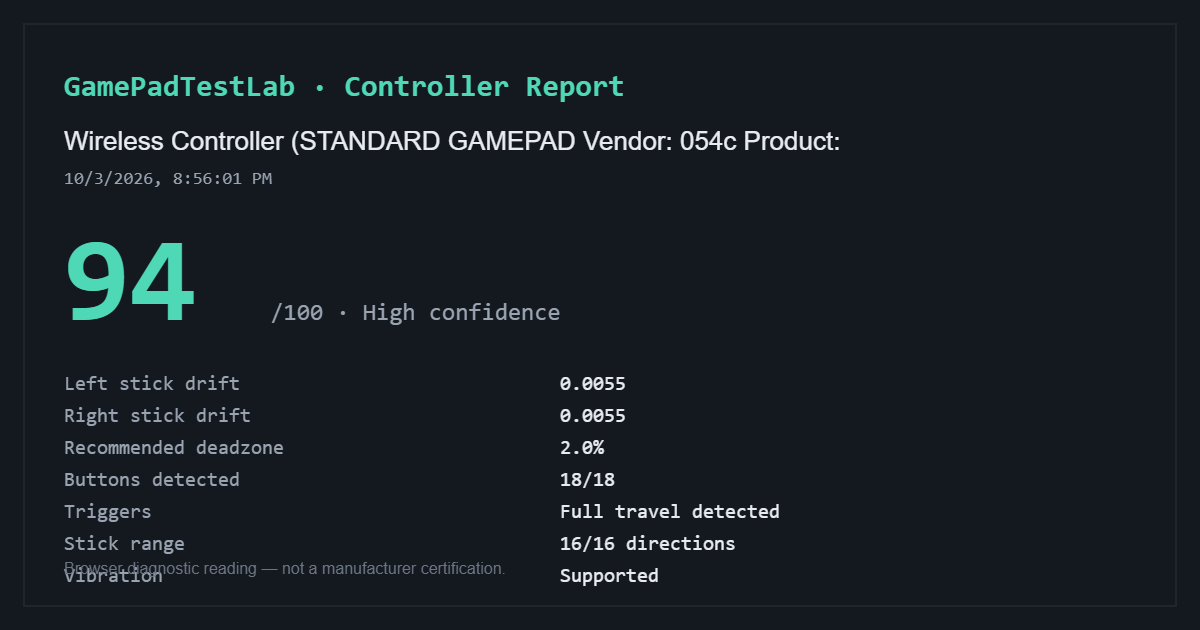
Standard Gamepad レポート — 94/100
記録日時: 10/3/2026, 8:56:01 PM (レポートに表示された表記)
ブラウザーでの識別名: Wireless Controller (STANDARD GAMEPAD Vendor: 054c Product:)
記録されたレポートには、左右各スティックのドリフト 0.0055、推奨デッドゾーン 2.0%、検出ボタン 18/18、トリガー全域、スティック方向 16/16、振動対応と表示されています。
接続方法、互換ソフトウェアの状態、ブラウザー、OS は画像に記録されていません。
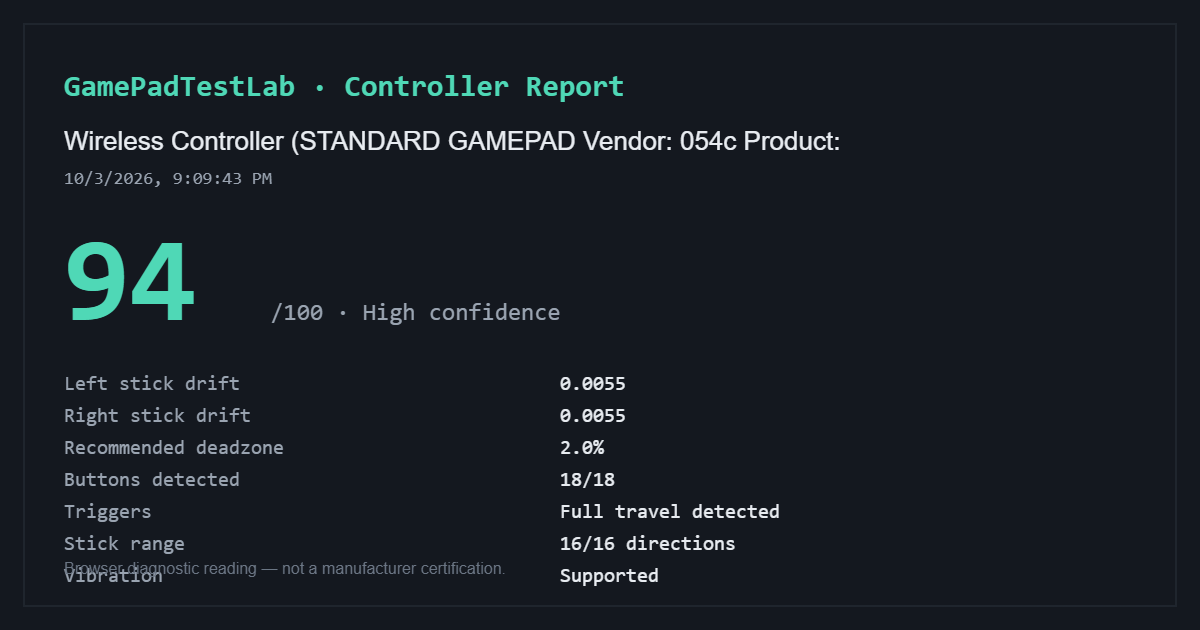
Standard Gamepad レポート — 94/100
記録日時: 10/3/2026, 9:09:43 PM (レポートに表示された表記)
ブラウザーでの識別名: Wireless Controller (STANDARD GAMEPAD Vendor: 054c Product:)
記録されたレポートには、左右各スティックのドリフト 0.0055、推奨デッドゾーン 2.0%、検出ボタン 18/18、トリガー全域、スティック方向 16/16、振動対応と表示されています。
接続方法、互換ソフトウェアの状態、ブラウザー、OS は画像に記録されていません。
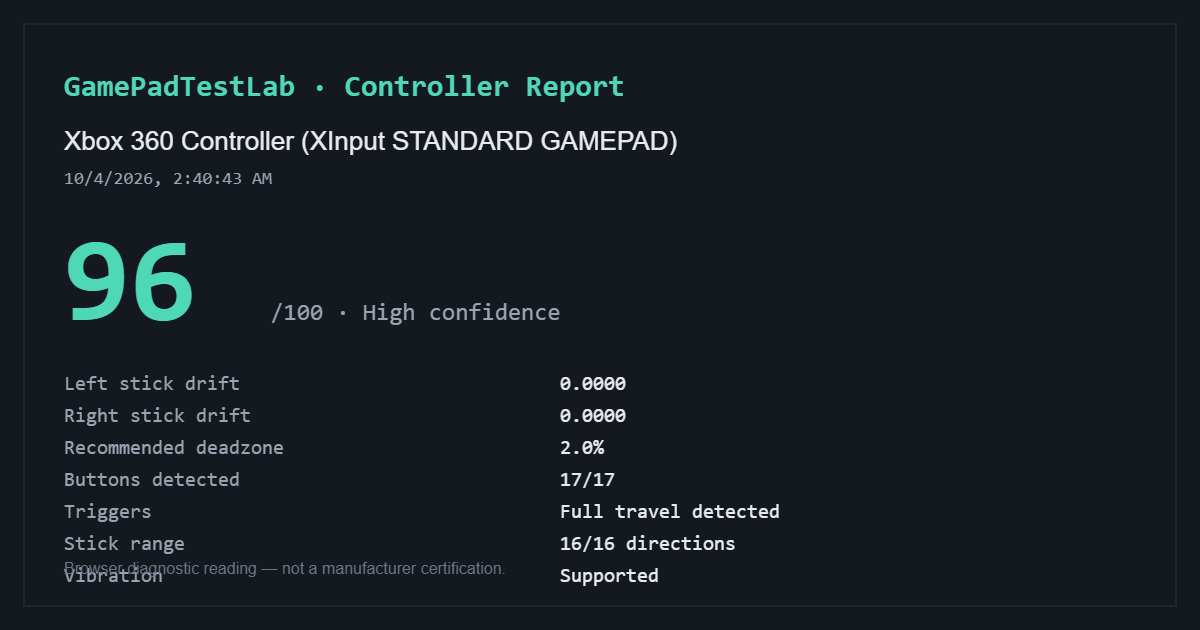
XInput レポート — 96/100
記録日時: 10/4/2026, 2:40:43 AM (レポートに表示された表記)
ブラウザーでの識別名: Xbox 360 Controller (XInput STANDARD GAMEPAD)
記録されたレポートには、両スティックのドリフト 0.0000、推奨デッドゾーン 2.0%、検出ボタン 17/17、トリガー全域、スティック方向 16/16、振動対応と表示されています。
接続方法、互換ソフトウェア、ブラウザー、OS は記録されていません。XInput という名前が示すのはブラウザー側のインターフェースであり、どのソフトウェアが生成したかを示すものではありません。
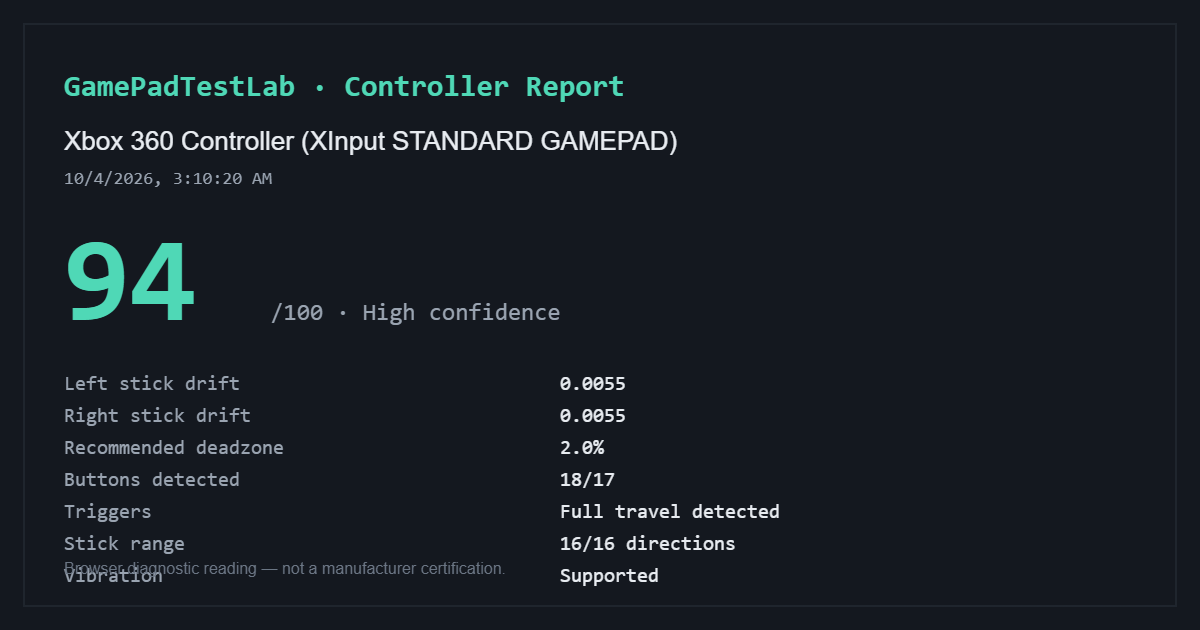
XInput レポート — 94/100
記録日時: 10/4/2026, 3:10:20 AM (レポートに表示された表記)
ブラウザーでの識別名: Xbox 360 Controller (XInput STANDARD GAMEPAD)
記録されたレポートには、左右各スティックのドリフト 0.0055、推奨デッドゾーン 2.0%、想定17個に対して検出ボタン18個、トリガー全域、スティック方向 16/16、振動対応と表示されています。
接続方法、互換ソフトウェア、ブラウザー、OS は記録されていません。XInput という名前が示すのはブラウザー側のインターフェースであり、どのソフトウェアが生成したかを示すものではありません。
接続方式を比較する前に、コントローラーテストでの USB と Bluetoothを確認してください。ブラウザーに表示される測定値の計算方法と限界については、テスト方法をご覧ください。
入力のライブ表示
ボタンやスティックを操作すると、図にすぐ反映されます
スティックドリフトテスト
左右のアナログスティックを静止状態で計測します
コントローラーを接続し、いずれかのボタンを押すとこのテストを開始できます。
ボタンテスト
各ボタンを1回ずつ押してください。ブラウザが認識するとそのボタンが点灯します
コントローラーを接続し、いずれかのボタンを押して開始してください。
トリガーテスト
各トリガーを離した状態から最大まで、ゆっくり数回押してください
トリガーをテストするにはコントローラーを接続してください。
トラブルシューティング
コントローラーが検出されませんか? このチェックリストを確認してください
フォーカス、ケーブル、Bluetoothペアリング、常駐ソフト、DS4Windowsの仮想コントローラー、ブラウザー対応を確認する9項目です。コントローラーが表示されない場合だけ開いてください。
DualShock 4を接続する
データ通信対応のmicro USBケーブルを使ってボタンを押すか、ShareボタンとPSボタンを同時に長押ししてライトバーが速く点滅するまで待ち、Bluetoothでペアリングします。
DualShock 4はすでに2台目、3台目のスティックモジュールに交換されている個体も多い年式です。まず静止状態でのドリフト測定から始めることをおすすめします。
経年劣化したパッドで見られる傾向
静止時のドリフト、フルストロークまで届かなくなったL2・R2、摩耗した前面ボタンが、中古のDualShock 4でよく見られる3つの症状です。
まずドリフトテストを実行し、次にデッドゾーンツールを試してください。控えめなデッドゾーン設定で動きが完全に隠れるなら、そのパッドはまだ十分プレイに使える状態です。
よくある質問
- DualShock 4のドリフトは時間とともに悪化しますか?
- 一般的には悪化します。スティックモジュール内部の摩耗は機械的なものだからです。今のうちにレポートを保存しておけば、数か月後の状態と比較できます。
- DualShock 4が充電はできるのに接続できません。なぜですか?
- 多くのmicro USBケーブルは給電専用です。ポートが故障していると決めつける前に、データ通信対応と分かっているケーブルに交換してみてください。
- ライトバーやスピーカーもここでテストできますか?
- できません。どちらも標準的なブラウザのインターフェースからは取得できません。
- ドリフトが出たDualShock 4は修理と買い替え、どちらが良いですか?
- はんだ付けに抵抗がなければ、交換用のスティックモジュールは安価に入手できます。そうでなければ、修理費用と新しいパッドの価格を比較して判断してください。
続けてテストする
コントローラーの入力データはこの端末から外に出ません。 テスト方法について